

Table of Contents
1. Conclusion: Bypass Is Not an Evil Feature; It Is a Dangerous Permission Setting Designed for Isolation
Claude Code's Bypass permissions mode skips the normal permission prompts and Auto mode's safety classifier so tool calls can execute immediately. Anthropic explicitly says to use it only in isolated environments such as containers, VMs, or dev containers without internet access.[1]
The short answer to “is it actually dangerous?” is therefore: on an ordinary developer workstation, enabling it broadly is high risk. In a disposable isolated environment with no secrets and no production authority, its practical blast radius can be made small.
Bypass does not turn Claude into root. When Claude Code runs locally, it can use the commands that the current user could run from that terminal. The ceiling is set by the OS account, readable files, environment variables, SSH keys, cloud credentials, reachable networks, and Git permissions—not by the name of the mode.[2] A developer laptop is often a key ring for production, so “not root” is not much comfort.
For an enterprise default, the sound position is to disable Bypass and standardize on Auto plus an OS-enforced sandbox and explicit ask/deny rules. Workloads that truly need Bypass should move to dedicated runners or disposable dev containers with narrowly scoped credentials. Turning it on for the entire workforce and depending on individual caution is not a robust control.
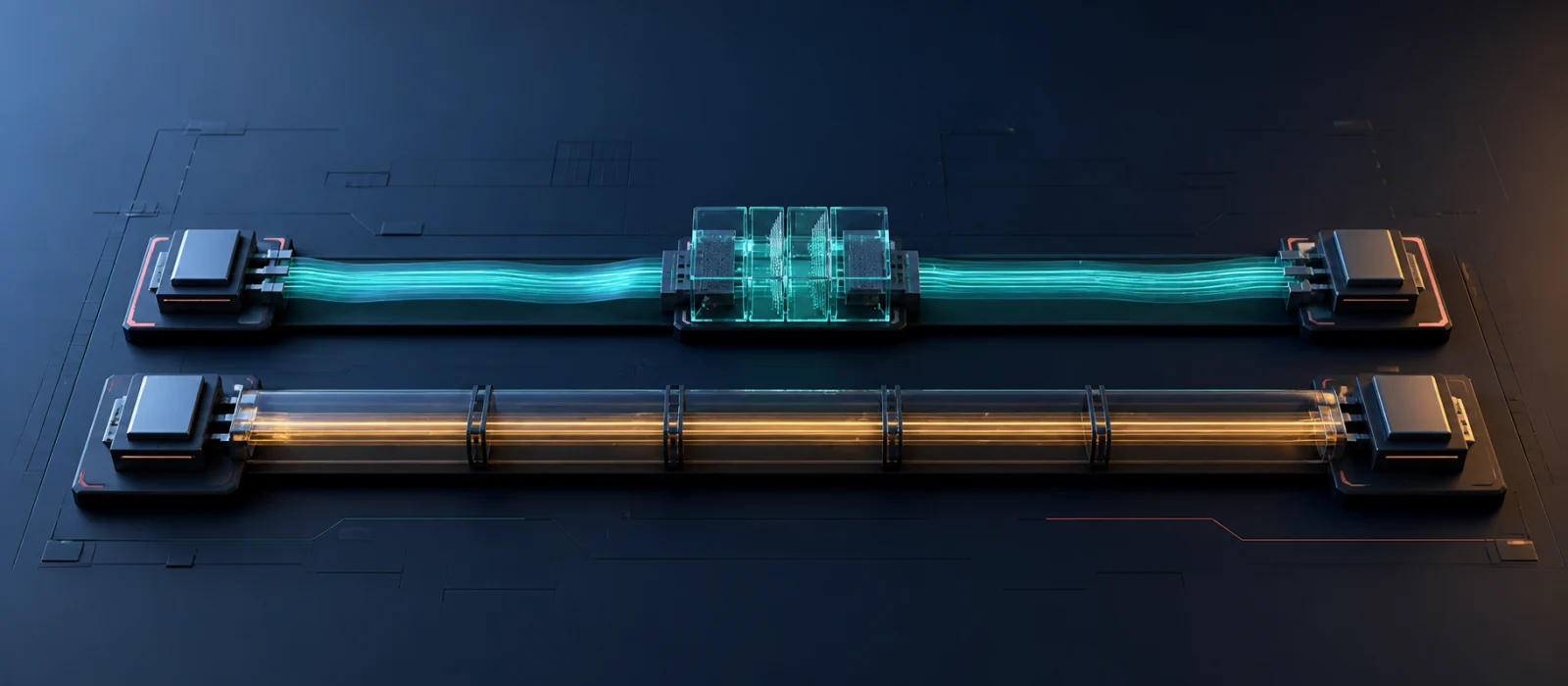
Auto and Bypass both reduce interruptions, but Auto retains a decision gate. Bypass relies on the walls outside Claude Code. Similar speed does not mean similar failure behavior.
2. Start with the Names: Claude Code Has Six Permission Modes
On September 2, 2026, the official documentation and a local Claude Code 2.1.258 installation agreed that --permission-mode accepts manual, acceptEdits, plan, auto, dontAsk, and bypassPermissions. Settings files and SDK integrations call Manual default, which is an easy source of confusion.[1]
| Mode | What moves automatically | Best fit | Main weakness |
|---|---|---|---|
Manual (default) | Primarily reads | Sensitive repositories, unfamiliar work | Approval fatigue |
Accept Edits (acceptEdits) | In-scope edits and common file operations | Implementing while reviewing diffs afterward | Some operations such as rm are also automatic |
Plan (plan) | Research and planning; normally no edits | Requirements and impact analysis | Not a hard boundary in a session with Bypass available |
Auto (auto) | Most work, with higher-risk candidates routed to a classifier | Long tasks with fewer prompts | A probabilistic defense with non-zero misses |
Don't Ask (dontAsk) | Only pre-approved operations; everything else denied | CI and fixed scripts | Work stops if the allowlist is incomplete |
Bypass (bypassPermissions) | Normal prompts and safety classification skipped | Disposable isolated environments | No intermediate gate for mistakes, injection, or credential misuse |
Accept Edits is not a “safe text editing only” mode. Current documentation includes in-scope mkdir, touch, rm, rmdir, mv, cp, and sed among operations that can be auto-approved. Git diffs and Claude Code checkpoints help with reviewable file changes, but checkpoints cannot undo remote APIs, databases, or deployments.[1][2]
Plan is not an absolute read-only sandbox either. It normally blocks edits, but when a session started with Bypass available, edits or shell commands attempted during planning may run without the normal block. An organization that requires a technical separation between planning and execution undermines that design if the same session also has Bypass available.[1]
3. The Defining Difference: Auto Replaces the Human Approver with Another Model
In Auto mode, reads and routine in-working-directory edits are approved before classification. Higher-downside operations—shell commands, external services, and out-of-scope actions—are routed to a classifier. An input-side probe looks for prompt-injection patterns in files, web pages, shell output, and other tool results. An output-side classifier compares the user's request with the proposed tool call.[3]
It is therefore imprecise to say that Auto has an AI “double-check every action.” Routine repository edits skip the classifier because they are expected to be reviewable in Git. Explicit ask and deny rules are evaluated before the classifier, which lets an organization keep Auto while bringing a human back specifically for git push.[4]
Anthropic's March 2026 internal evaluation is unusually useful because it shows both value and limits. On 10,000 real tool calls, the final pipeline falsely blocked 0.4% of benign actions. It missed 17% of 52 real “overeager” dangerous actions, and 5.7% of 1,000 synthetic exfiltration attempts. The first risky set is small, all are internal datasets, and none of these values should be converted directly into an incident probability. They do show that Auto is a probabilistic safety layer—not a guarantee, but a meaningful improvement over Bypass.[3]
Anthropic also found that users approved roughly 93% of permission prompts. A human dialog on every step is not automatically safe: repetition turns inspection into reflex. Auto's purpose is not to remove people from the process, but to preserve their attention for boundaries that matter.[3][5]

Auto uses two layers: it looks for hostile instructions entering the context and compares higher-risk outgoing actions with user intent. Both layers are probabilistic.
4. What Bypass Removes—and What It Does Not
With Bypass enabled, tool calls proceed without the usual permission prompt or Auto classifier, including writes to protected locations such as .git, .claude, .vscode, and shell profiles. --dangerously-skip-permissions is the equivalent launch flag. On Linux and macOS, Claude Code refuses to start it as root or under sudo.[1]
It is still inaccurate to say literally every control disappears. Under the current specification, explicit permissions.deny rules take precedence even in Bypass. Content-scoped ask rules, tools that require user interaction, organization-required connector approvals, and certain removals aimed at the filesystem root or home directory can still stop or prompt. OS permissions, containers, VMs, network policy, and downstream IAM remain separate layers.[1][6]
The risk remains high because ordinary incidents rarely look like rm -rf /:
- A vague cleanup deletes remote branches or cloud objects.
- An authentication failure triggers a search for an unrelated token.
- An issue, README, or webpage carries an indirect prompt injection.
- A push, migration, IaC apply, or outbound message targets the wrong place.
- Changes to Git metadata, hooks, package scripts, or Claude's configuration persist into later work.
Anthropic's Auto design post gives internal-incident-derived examples: deleted remote branches, a GitHub token uploaded to an internal compute cluster, and a migration attempted against production. The model does not need malicious intent. Overeagerness, mistaken scope, or hostile external content is enough.[3]
5. Enterprise Risk Depends on Blast Radius, Not the Laptop Label
Anthropic has not published a universal incident probability, and every company's privileges differ, so a number such as “37% dangerous” would be invented. A practical assessment uses likelihood multiplied by reachable impact. NIST recommends risk tiers, added human review, tracking, documentation, and management oversight according to the use case. OWASP describes excessive functionality, permissions, and autonomy as “Excessive Agency,” recommending least privilege and human approval for high-impact actions.[7][8]
| Execution environment | Relative Bypass risk | Decision |
|---|---|---|
| Disposable container, no secrets, no egress, throwaway copy | Low to medium | The intended Bypass case; export only reviewed results |
| Dedicated CI runner, short-lived least-privilege token, protected branch, fixed egress | Medium | dontAsk plus an allowlist is often easier to audit |
| Normal developer workstation with internet, SSH, Git, and cloud credentials | High | Do not enable broadly; standardize on Auto plus sandboxing |
| Device that reaches production DB, IAM, billing, or customer data | Very high | Prohibit Bypass and enforce approval and separation downstream |
| Regulated medical, financial, or legal data mixed with external web content | Very high | Review the use case, data flow, retention, and auditability before modes |
Making Bypass selectable is not the same as starting every job in Bypass. Still, organization-wide availability creates a latent path for mistakes, personal scripts, outdated runbooks, or third-party plugins. Server-managed settings currently apply uniformly across an organization and do not support group-specific variants. For exceptions, targeted MDM policy or a dedicated runner makes the boundary easier to explain than unlocking every workstation.[9]
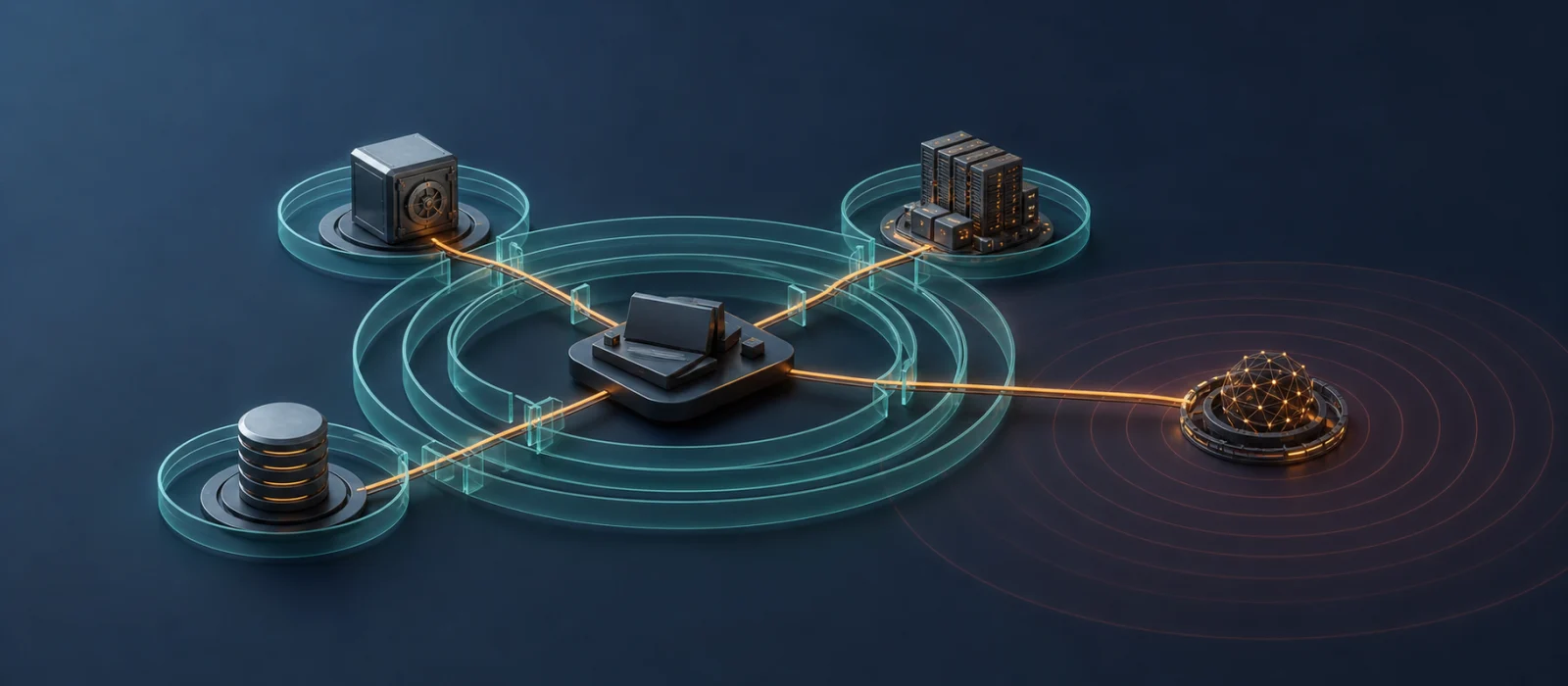
Bypass risk is determined by what the execution identity can reach. More credentials and destinations let one mistaken action propagate across systems.
6. Recommended Architecture: Keep Auto Useful and Make Hard Boundaries Deterministic
For enterprise deployment, start by disabling Bypass in managed settings, force the sandbox to fail closed, and place only consequential operations behind ask or deny. Managed settings outrank user, project, and command-line configuration and cannot be overridden locally.[10][6]
The following is a conceptual example. Validate every domain, path, and command against your environment.
{
  "permissions": {
    "disableBypassPermissionsMode": "disable",
    "ask": [
      "Bash(git push *)",
      "Bash(gh pr create *)"
    ],
    "deny": [
      "Read(./.env)",
      "Read(./.env.*)",
      "Read(./secrets/**)"
    ]
  },
  "allowManagedPermissionRulesOnly": true,
  "sandbox": {
    "enabled": true,
    "failIfUnavailable": true,
    "allowUnsandboxedCommands": false,
    "network": {
      "allowManagedDomainsOnly": true,
      "allowedDomains": ["github.example.com", "registry.example.com"]
    }
  }
}
An explicit checkpoint on git push matters. Current Auto mode can allow ordinary pushes to a configured remote for the working repository, including the default branch. Do not base policy on older descriptions claiming Auto must stop every push to main. Force pushes, secret-bearing changes, and publication or deployment targets receive additional scrutiny, but a human checkpoint that your organization requires belongs in an explicit rule.[1][4]
Sandboxing is a separate layer, not another permission-mode label. It uses Seatbelt on macOS and bubblewrap on Linux/WSL2 to restrict the filesystem and network visible to Bash and its children. Built-in Read/Edit and computer use have different boundaries, and the default proxy does not inspect TLS content. “Sandbox enabled” is the start of a review, not its conclusion.[11]
A Bypass exception runner should meet at least five conditions:
- A VM or container is destroyed after each run and does not mount the host home directory.
- Egress is denied by default, with only required domains allowed through a proxy.
- Tokens are short-lived, job-specific, and minimal; production credentials are absent.
- The identity cannot write directly to protected branches; results leave through a reviewed PR or artifact.
- Logs are treated as detection, while IAM, branch protection, and database approvals provide prevention.

Warnings do not make Bypass safe; boundaries do. Disposable state, no secrets, denied egress, and reviewed output keep the direct lane's blast radius small.
7. Claude Desktop, CLI, Cowork, and Chat Do Not Share One Meaning of “Auto”
In the Code tab of Claude Desktop, a Local session runs on the user's machine. It reads the same settings as the CLI and remembers mode selection per folder. Desktop is an interface; it does not silently turn local work into a safe cloud sandbox. Remote sessions run in Anthropic-managed VMs, while SSH sessions inherit the boundary of the remote host.[12][13]
Claude Code cloud sessions on the web do not offer Bypass. Remote Control executes on the local machine, but its app-facing choices are Manual, Accept Edits, and Plan; Auto and Bypass cannot be selected from the app. Security reviews should ask where the process runs and which mode is actually active, not only which screen the user is typing into.[1]
Cowork does not reuse Claude Code's six modes. It has its own Manual, Automatically approve, and Skip all approvals choices. Auto safety-screens connector, browser, and related actions; Skip does not perform automatic action review. Some operations, including permanent file deletion, still require explicit approval regardless of mode. Cowork code executes in an isolated environment, but granted folders, connectors, browsers, and computer use can still produce real-world effects.[14][15]
| Entry point | Typical work | Execution boundary | Relation to this article's modes |
|---|---|---|---|
| Claude Chat | Conversation, writing, search, connectors | Claude plus approved destinations | Separate from Code's six modes |
| Cowork | Multi-step office work, files, browser, apps | Cloud sandbox or local VM plus approved destinations | Its own Manual / Auto / Skip system |
| Claude Desktop Code | GUI for Claude Code | Local / remote VM / SSH | Local uses Claude Code permission modes |
| Claude Code CLI | Repositories, shell, Git, dev tools | The launch machine or selected environment | Direct access to all six modes |
Team and Enterprise administrators separately control Cowork Auto, per-task approval for write-capable connectors, network egress, plugins, and access. The Compliance API and OpenTelemetry improve visibility across Claude Code and Cowork, but logs are detection after the fact—not a substitute for least privilege or enforced approval.[16][17]
8. The Decision Is Not Whether to Trust Claude, but Where to Contain It
The operating model can be concise:
- Routine development: Auto plus sandboxing;
askordenyfor pushes, deploys, migrations, and IAM changes. - Sensitive, production, or regulated work: default to Manual or Plan and require approval in downstream systems too.
- Non-interactive CI: consider
dontAskwith a narrow allowlist first. - Bypass: only in disposable environments with constrained networking and credentials; disable it on general workstations through managed settings.
Bypass permissions is not a button that guarantees an accident. Inside an unprivileged container, the model may be able to damage only that container. On a laptop holding cloud-admin access, customer databases, signing keys, and a strong GitHub token, it can reach a business-critical incident without ever being root.
The enterprise question is therefore not “do we trust Claude?” It is: if Claude makes a mistake or follows hostile external content, what is the maximum it can damage? Auto places a probabilistic guard on the route. If Bypass is necessary, build walls, locks, short-lived identities, and egress controls that remain effective after that guard is removed. Without those controls, organization-wide enablement carries more risk than the convenience justifies.
Verification date and disclaimer: This article was verified on September 2, 2026 against current Anthropic documentation and the --help output of Claude Code 2.1.258. Defaults, plan/provider eligibility, and controls in Claude Code, Claude Desktop, and Cowork change quickly. Confirm current official documentation and your organization's effective settings before deployment. This article is general technical and risk-management information, not a substitute for legal, audit, or certification advice.
References
- [1]Anthropic, “Choose a permission mode”, covering the six modes, Auto evaluation, Bypass residual controls, protected paths, and interface differences. ↩
- [2]Anthropic, “How Claude Code works”, covering local command access and the limits of checkpoints for remote side effects. ↩
- [3]Anthropic, “How we built Claude Code auto mode: a safer way to skip permissions”, published March 25, 2026, for approval rates, architecture, incident examples, and evaluation metrics. ↩
- [4]Anthropic, “Configure auto mode”, covering
ask,deny,autoMode, trusted infrastructure, and push behavior. ↩ - [5]Anthropic, “How we contain Claude across products”, published May 25, 2026, for approval fatigue and blast-radius containment. ↩
- [6]Anthropic, “Configure permissions”, covering deny/ask/allow precedence, managed settings, and defense in depth with sandboxing. ↩
- [7]NIST, “Artificial Intelligence Risk Management Framework: Generative Artificial Intelligence Profile”, published July 2024 and updated April 2026. ↩
- [8]OWASP GenAI Security Project, “LLM06:2025 Excessive Agency”, covering excessive functionality, permission, autonomy, least privilege, and human approval. ↩
- [9]Anthropic, “Configure server-managed settings”, covering organization-wide delivery, current group limitations, and fail-closed enforcement. ↩
- [10]Anthropic, “Set up Claude Code for your organization”, covering managed delivery, permission lockdown, sandboxing, and MCP control. ↩
- [11]Anthropic, “Configure the sandboxed Bash tool”, covering OS-enforced filesystem/network isolation, fail-closed operation, tool scope, and TLS limitations. ↩
- [12]Anthropic, “Desktop application”, covering Local, Remote, SSH, the Code mode selector, and enterprise controls. ↩
- [13]Anthropic, “Get started with Claude Code on the web”, comparing execution locations and mode availability across interfaces. ↩
- [14]Anthropic Help Center, “Get started with Claude Cowork”, covering Cowork's Manual, Auto, and Skip modes, connector permissions, and isolated execution. ↩
- [15]Anthropic Help Center, “Use Claude Cowork safely”, covering prompt injection, local files, browsers, computer use, and deletion protection. ↩
- [16]Anthropic Help Center, “Use Claude Cowork on Team and Enterprise plans”, covering Auto, connector, egress, plugin, and access controls. ↩
- [17]Anthropic Help Center, “Access the Compliance API”, covering Claude Code and Cowork activity and audit events. ↩

NEW NOVEL 2026/08/01
Clouded Glass
Polishing is not about force.
Volume two of The World Became Slightly Farther Away.Five stories that can also be read as a starting point.
View on Amazon
Jijoden.com
Your life is worth writing.
There is a truer self you can tell only to AI.Gather fragments of memory into a single story.
Take a LookRelated Articles
You Don’t Have to Abandon Claude Desktop: The Practical Case for Claude Code CLI, Subagents, and Agent Teams
Subagents work in Claude Desktop's Code tab, so what still makes the CLI different? This practical guide explains CLI-only Agent Teams, Unix pipes, shell-environment continuity, which model and effort level each teammate and Subagent inherits, local-only configuration, Git exclusions, and copy-ready reviewer and log-watcher agents for ordinary Claude subscribers.
Making Jev’s Speed and Cost Playable: Two Hours of Conversation, Zero Handwritten Lines
Trying Jev turned into a buzzword game through conversations with Claude Code. A real demo, roughly 400ms responses, about ¥5 in API usage, and the mistakes that moved decisions back into code.
Building nagara: A Voice Player for AI Replies, Articles, and Novels
I wanted long Claude Code replies to be easier to listen to. This engineering story follows nagara, an open-source macOS player built with Swift and AivisSpeech, through quiet collection, sentence navigation, and pitch-preserving playback speed.
Why AGENTS.md Won by Standardizing Almost Nothing — The 18-Month End of the AI Coding Rules War
Why did a landscape of tool-specific instruction files converge on AGENTS.md, a standard with no required fields? This evidence-based history follows its path from Amp's singular AGENT.md to Linux Foundation stewardship, rule-sync tools, invisible-Unicode attacks, and a practical 2026 setup.
Why the Benchmark King Breaks Code in the Field: The Real Reason Google Antigravity Isn't Catching On
Why does Google Antigravity cause regressions in the field? We explore the overwhelming cost performance of its $20 monthly plan and the mystery of why Google is lagging behind in AI coding agents, separating model intelligence from product quality.